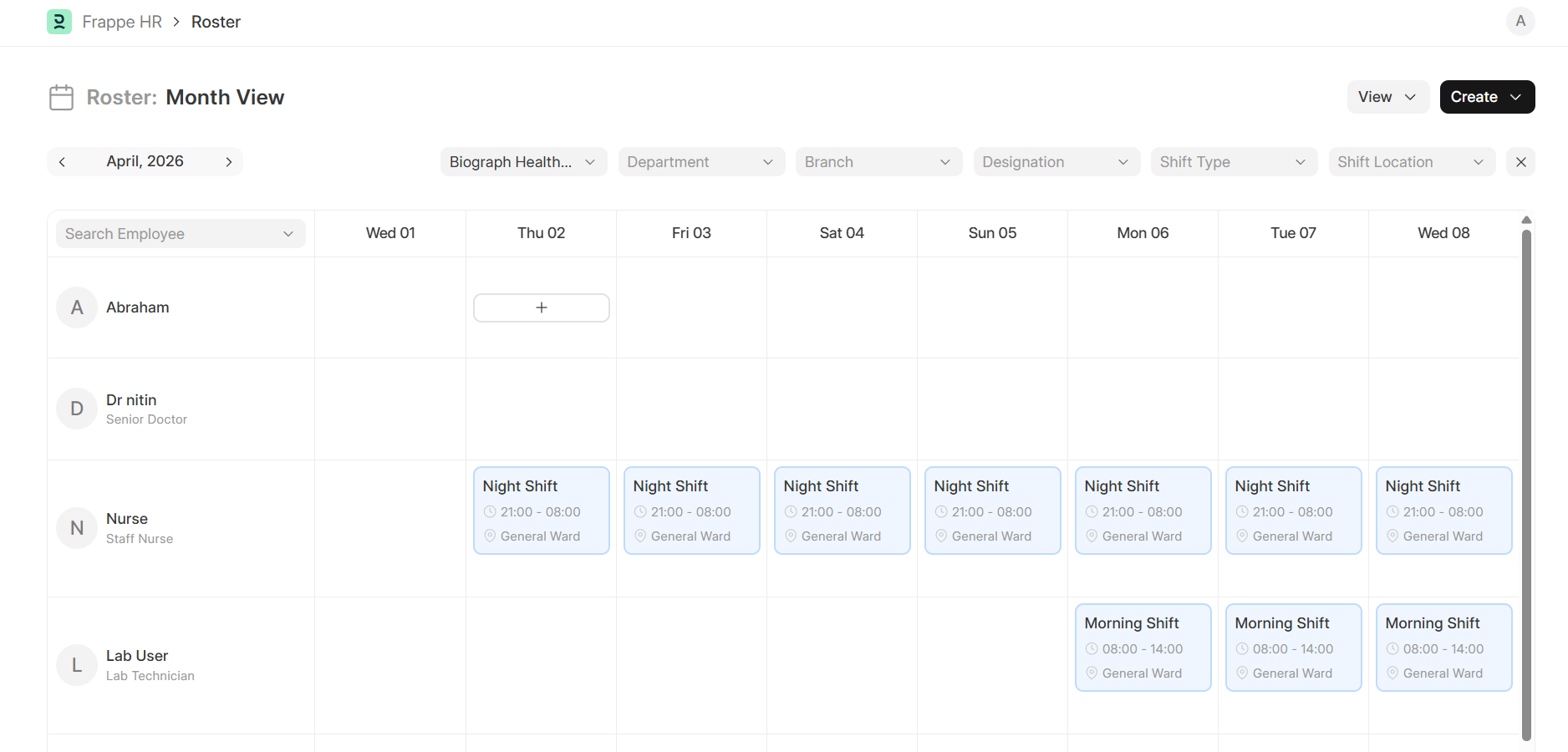
Appearance
Shift Management
Shift Management handles how staff shifts are defined, assigned, and scheduled within the system, ensuring proper workforce allocation and accurate attendance processing.
Navigation:
Home>HR>Shift & Attendance>Shifts
Shift Types
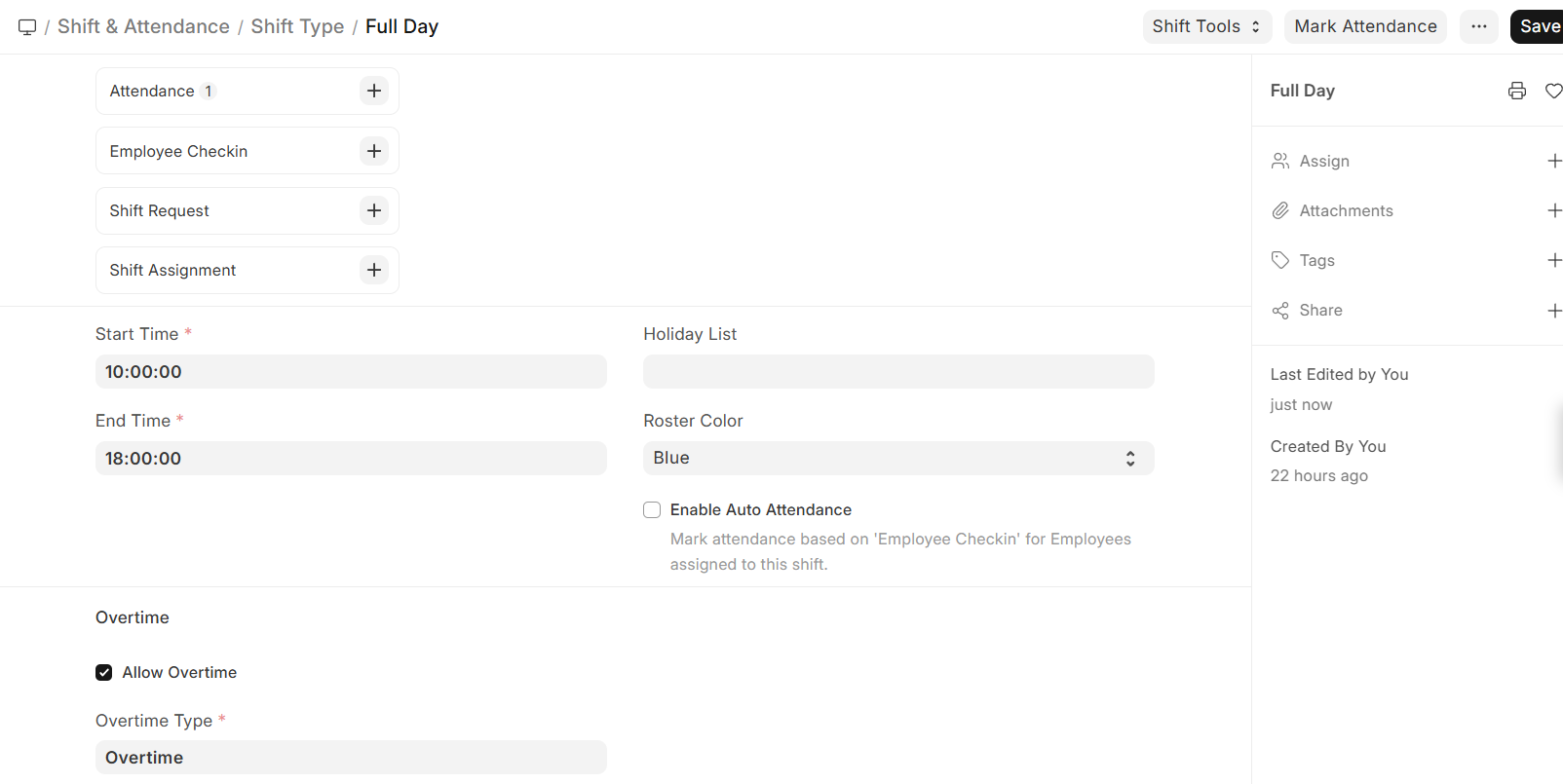
Shift Types define the working hours and rules used to calculate attendance.
Configuration
| Field | Description |
|---|---|
| Start Time | Defines when the shift begins |
| End Time | Defines when the shift ends |
| Holiday List | Applies holiday rules for the shift |
| Roster Color | Used for visual identification in roster |
Settings
- Enable Auto Attendance — Marks attendance based on check-ins
- Allow Overtime — Enables overtime tracking
- Overtime Type — Defines overtime calculation rules
Shift Locations represent where employees perform their shifts within the facility.
Shift Assignment
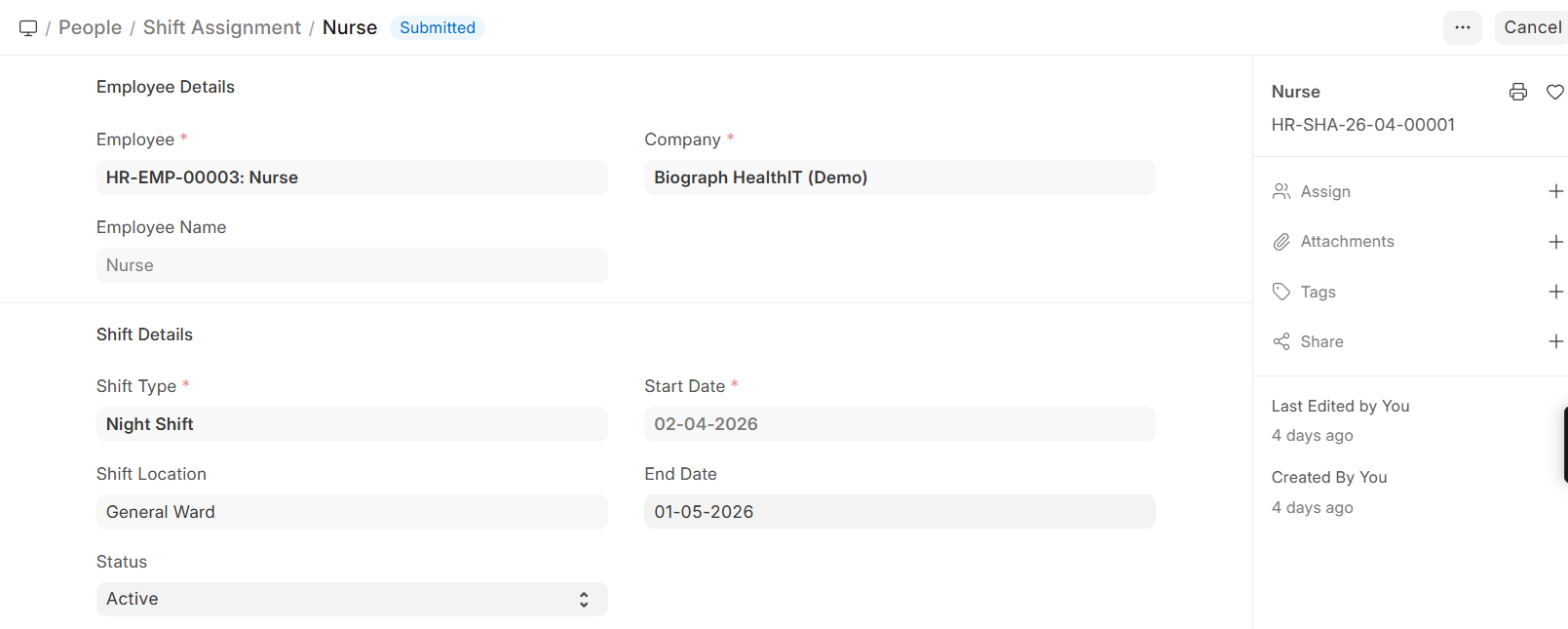
Shift Assignment links employees to shifts for a defined period.
Configuration
| Field | Description |
|---|---|
| Employee | Employee assigned to the shift |
| Company | Organization context |
| Shift Type | Defines timing and rules |
| Shift Location | Work location |
| Start Date / End Date | Assignment duration |
| Status | Active or Inactive |
Used to schedule employees and determine attendance rules.
Shift Schedules are applied to employees through Shift Schedule Assignments, which automatically generate individual shift assignments.
Shift Requests
Shift Requests allow employees to request changes to assigned shifts.
Configuration
| Field | Description |
|---|---|
| Employee | Employee requesting change |
| Shift Type | Requested shift |
| From Date / To Date | Duration of change |
| Approver | Approval authority |
| Status | Draft, Approved, Rejected |
Shifts can also be assigned to multiple employees using the Shift Assignment Tool.
Roster provides a calendar-based interface to manage and adjust shift schedules.