Appearance
Transfer Management
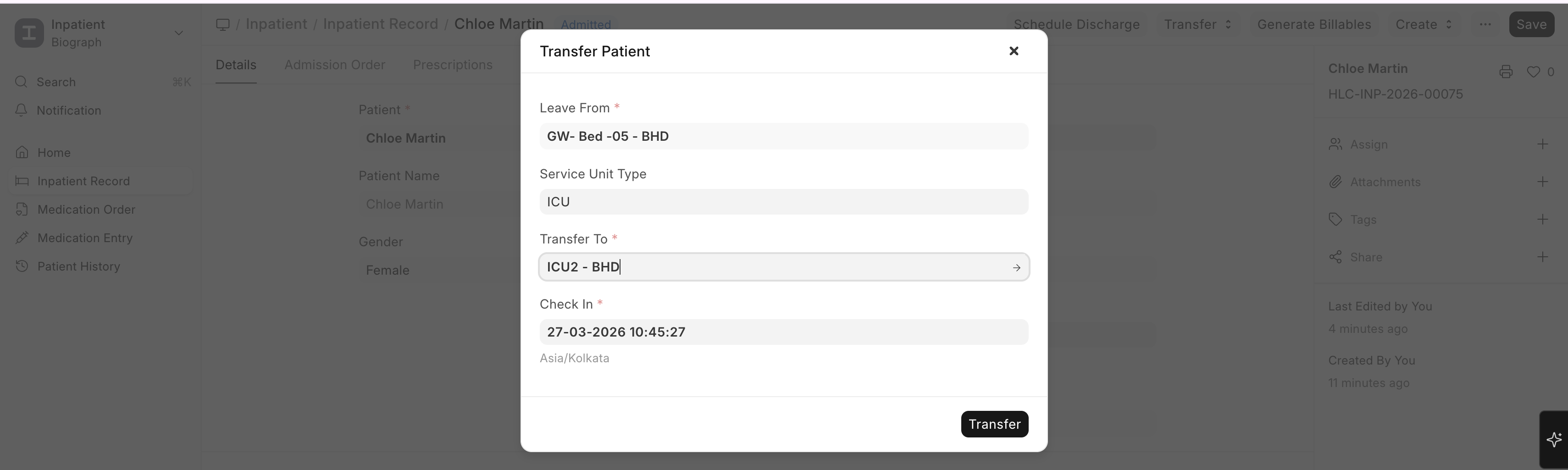
When a patient needs to be moved between wards, rooms, or beds:
- Open the patient's Inpatient Record
- Click Transfer
- Select the new Service Unit (destination bed/room)
- The system:
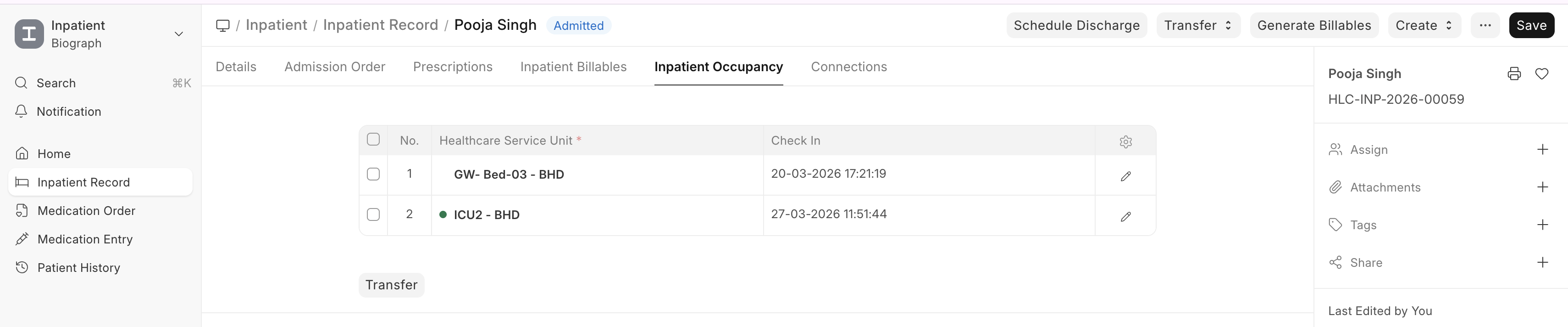
- Closes the current occupancy record (Check Out timestamp)
- Creates a new occupancy record for the destination
- Updates the patient's current location
- Maintains the transfer history
Transfer Scenarios
| Scenario | Example |
|---|---|
| Ward transfer | General Ward → ICU (patient condition worsened) |
| Room upgrade | General Ward → Private Room (patient request) |
| Department transfer | Surgery Ward → Recovery Ward (post-surgery) |
| Step-down care | ICU → General Ward (patient improving) |