Appearance
Invoice Workflow
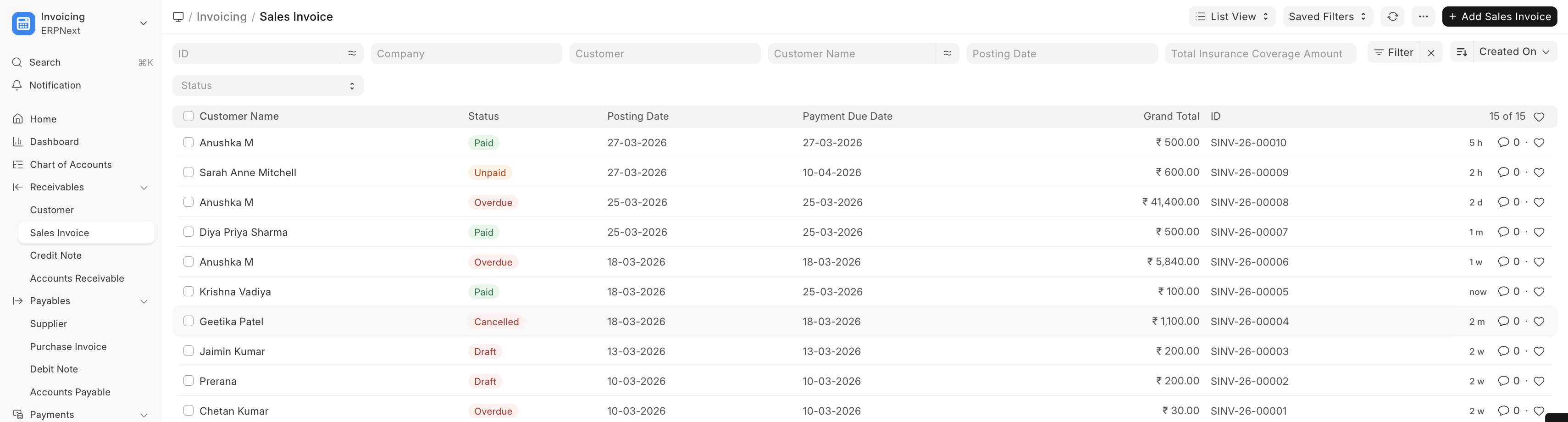
Sales Invoices follow the standard ERPNext workflow:
+----------+      +----------+      +----------+
|  Draft   | ---> |Submitted | ---> |   Paid   |
|          |      |(Unpaid)  |      |          |
+----------+      +----------+      +----------+
      |                 |
      v                 v
+----------+      +----------+
| Cancelled|      | Cancelled|
+----------+ +----------+- Draft — Invoice created but not yet finalized
- Submitted (Unpaid) — Invoice is finalized and sent to the patient
- Paid — Full payment received
- Partly Paid — Partial payment received
- Cancelled — Invoice voided (e.g., if appointment is cancelled)
Healthcare-specific behavior: When a Sales Invoice linked to a healthcare service is submitted or cancelled, the system automatically updates the billing status of the related clinical records.