

Appearance
Patient Registration
The Patient record is the foundation of all clinical workflows in Biograph. Every appointment, encounter, lab test, and billing transaction is linked to a patient.
To create a new Patient:
Home > Healthcare > Masters > Patient > New Patient
Creating a Patient
- Navigate to the Patient list
- Click + Add Patient
- Fill in the required details
Quick Entry
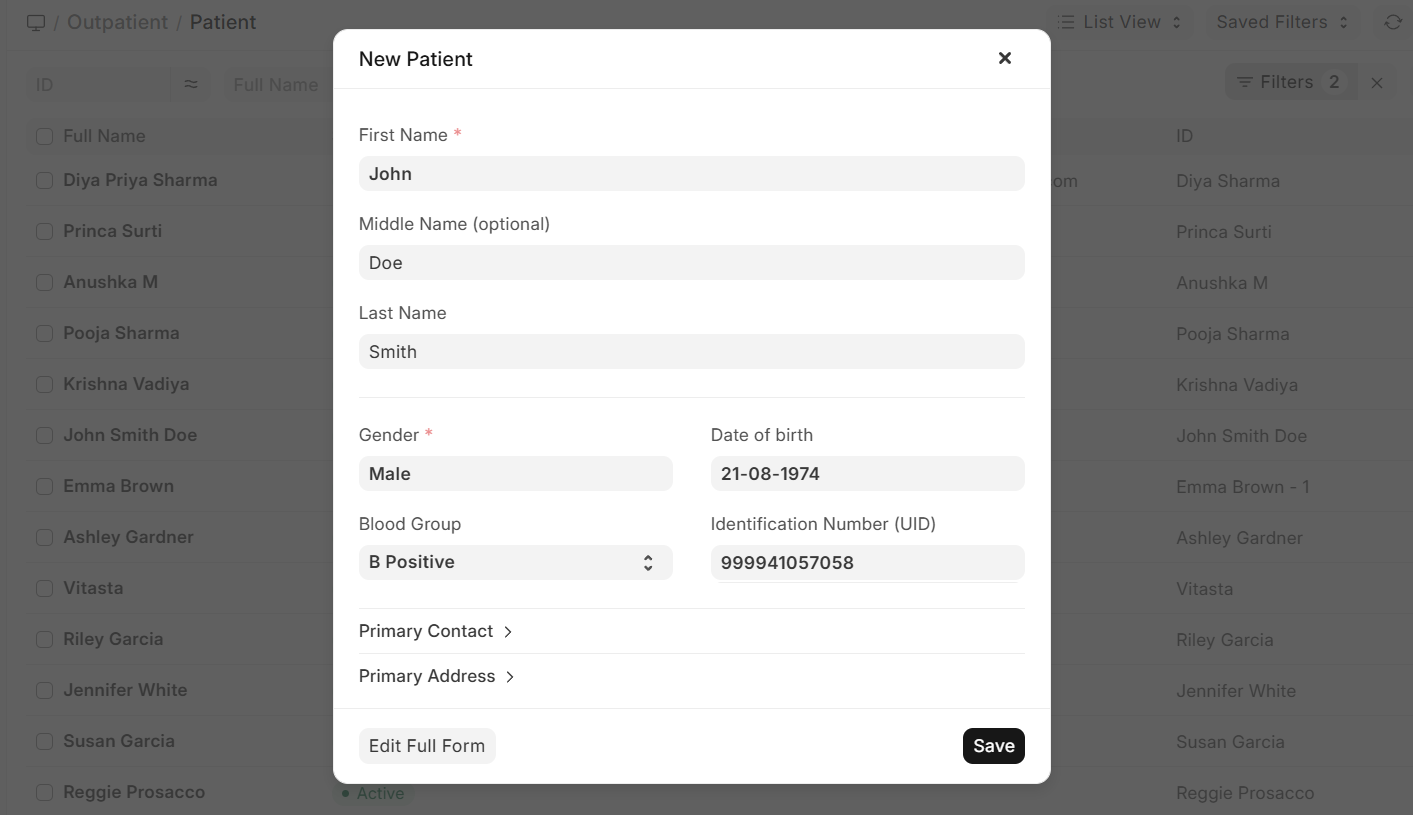
For fast registration at the front desk, use the Quick Entry option:
Enter just the Patient Name, Date of Birth, and Gender
The system creates the record immediately
Additional details can be filled in later
Demographics
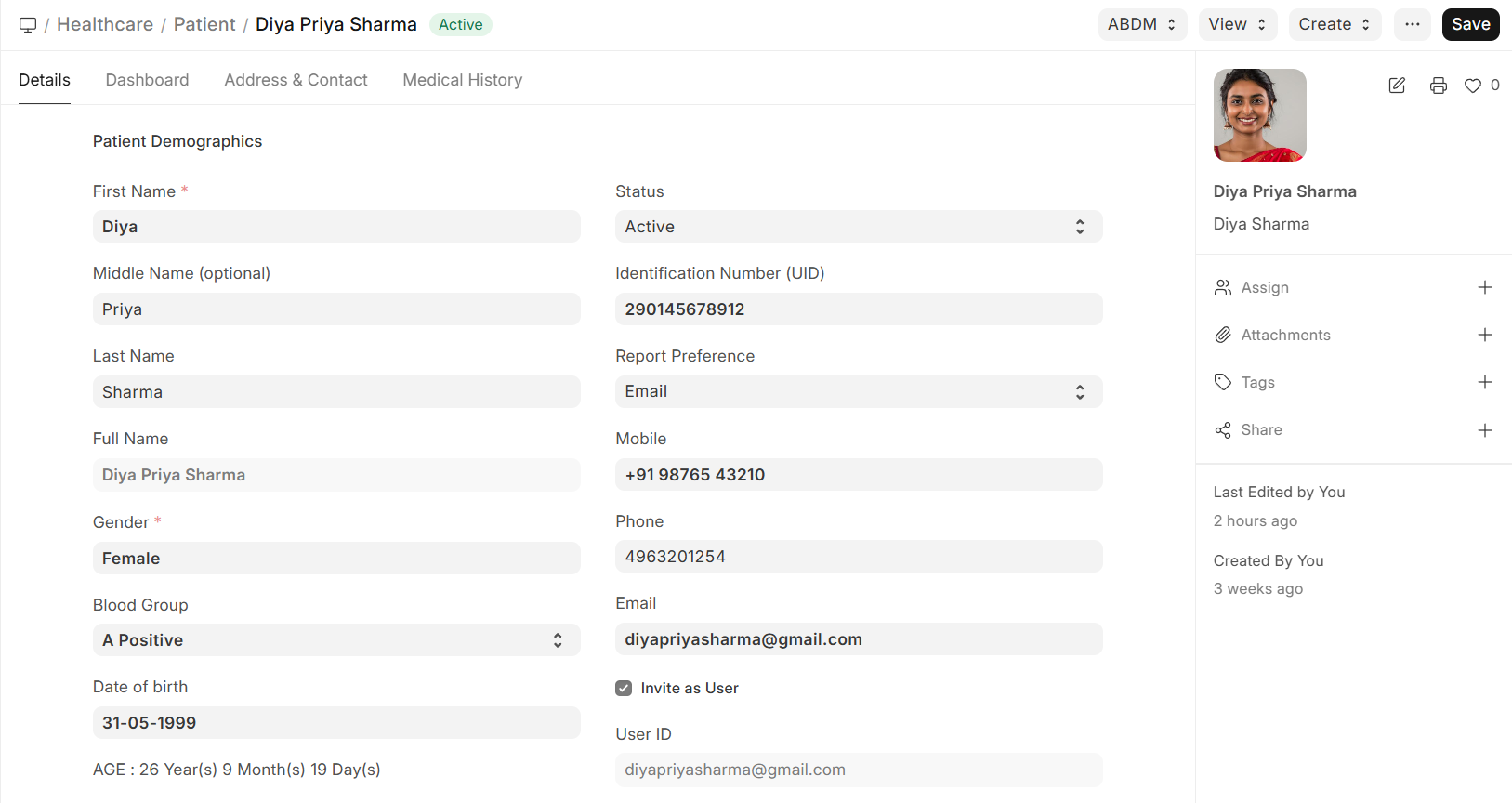
The Patient record captures comprehensive demographic information:
| Section | Fields |
|---|---|
| Basic Information | First Name, Middle Name, Last Name, Date of Birth, Gender |
| Patient Identifiers | Patient ID (auto-generated), UID/National ID |
| Personal Details | Blood Group, Marital Status, Occupation |
| Contact Information | Email, Phone, Mobile |
| Address | Full address with city, state, postal code, country |
Contact & Address
- Primary contact information is stored directly on the Patient record
- Additional addresses can be linked using ERPNext's Address and Contact system
- Emergency contact details for next of kin
Tip: If "Link Customer to Patient" is enabled in Healthcare Settings, a corresponding ERPNext Customer record is automatically created for billing purposes.