Appearance
Service Item Mapping
Every billable healthcare service must be mapped to an ERPNext Item. This is how Biograph connects clinical activities to the financial system.
What Gets Mapped
| Healthcare Service | Mapped To |
|---|---|
| Consultation Fee | Item linked to Appointment Type or Healthcare Practitioner |
| Lab Test | Item linked to Lab Test Template |
| Clinical Procedure | Item linked to Clinical Procedure Template |
| Therapy Session | Item linked to Therapy Type |
| Bed Charges | Item linked to Healthcare Service Unit Type |
| Medications | Items in ERPNext Item master (stock items) |
| Consumables | Items in ERPNext Item master (stock items) |
To configure Service Item Mapping:
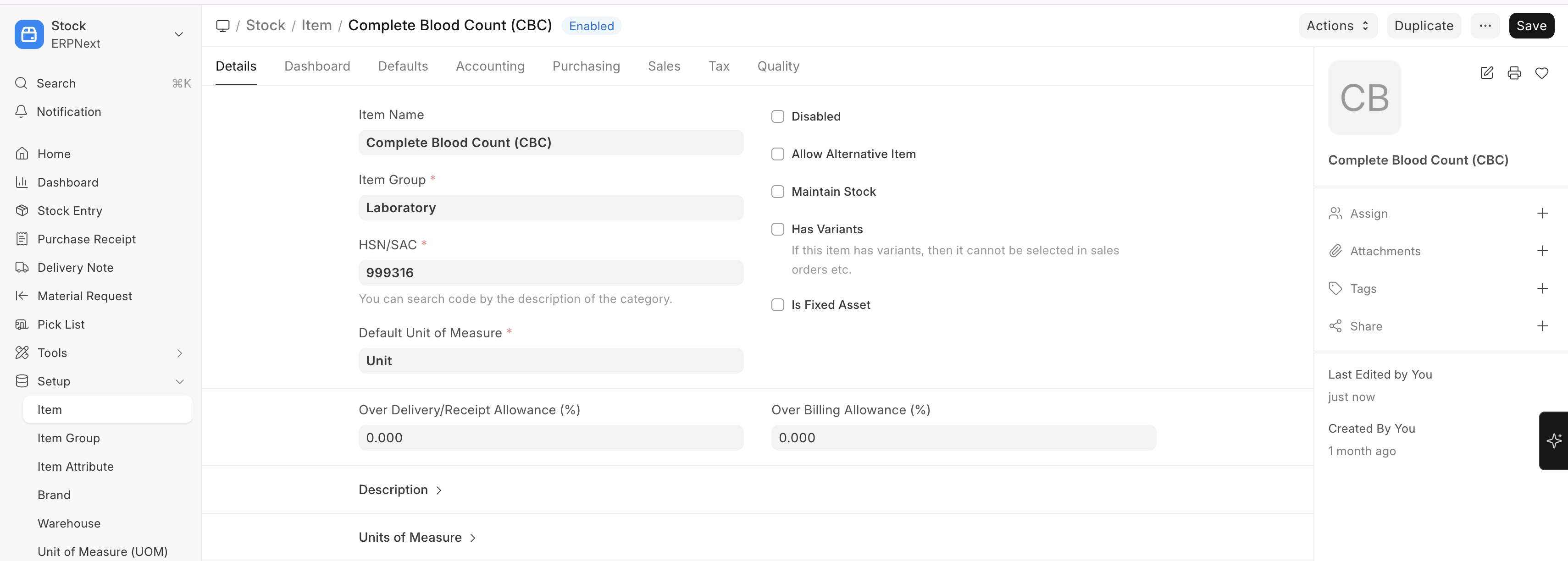
Home → Stock → Item → New
Setting Up Service Items
- Create an Item in ERPNext for each healthcare service
- Set the item as a Service type (not a stock item) for non-physical services
- Configure the standard rate (default price)
- Link the item to the relevant healthcare template (lab test, procedure, etc.)
- Set up Item Groups for organization (e.g., "Consultation Fees", "Lab Charges", "Procedure Charges")
Price Lists: Use ERPNext's price list feature to maintain different rates for different scenarios (e.g., general rate vs. insurance rate vs. discounted rate).