Appearance
Admission Process
Inpatient management in Biograph covers the complete Admission-Transfer-Discharge lifecycle for patients who require overnight or extended stays at the facility.
Scheduling an Admission
Admissions can be initiated from:
Patient Encounter — When a practitioner decides the patient needs admission during a consultation
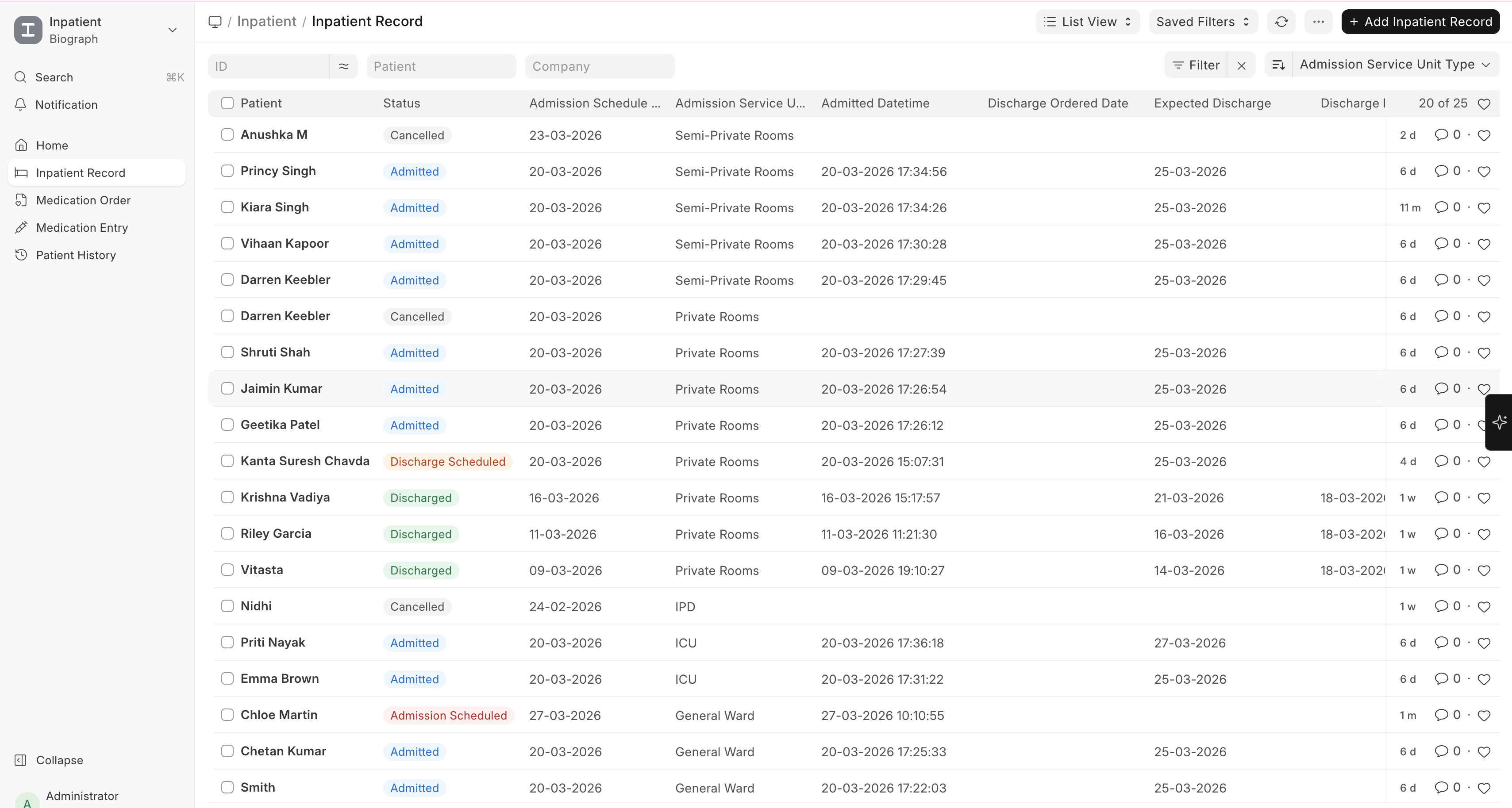
Inpatient Record list — Direct admission for emergencies or pre-planned procedures
To create an Inpatient Record:
Home → Healthcare → Inpatient → Inpatient Record → New
(or create directly from a Patient Encounter)
Creating an Inpatient Record
- Go to Inpatient Record list (or create from an encounter)
- Click + Add Inpatient Record
- Fill in admission details:
| Field | Description |
|---|---|
| Patient | Select the patient |
| Admitting Practitioner | The doctor ordering admission |
| Medical Department | Department responsible for care |
| Primary Diagnosis | Reason for admission |
| Admission Date/Time | When the patient is admitted |
| Expected Discharge | Estimated discharge date |
| Chief Complaint | Primary complaint at admission |
| Admission Instruction | Special instructions for nursing staff |
Schedule Admission to confirm the bed assignment
Admit the patient to formally begin the inpatient stay
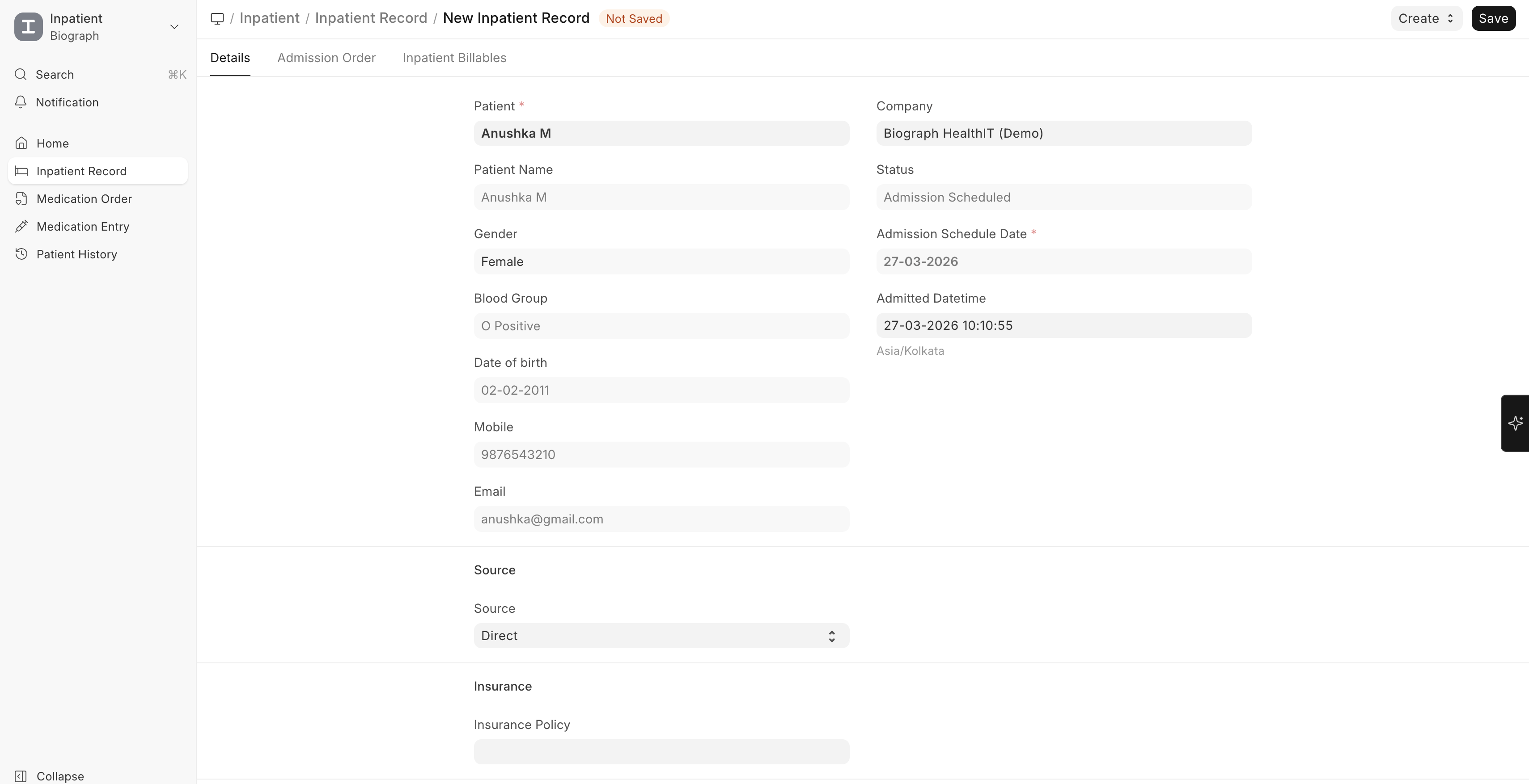
![Inpatient Record Form]1(../assets/inpatient-record-form1.png)
Admission Status Flow
┌──────────┐      ┌──────────┐      ┌──────────┐      ┌──────────────┐
│Admission │ ───► │ Admitted  │ ───► │Discharge │ ───► │  Discharged  │
│Scheduled │      │          │      │Scheduled │      │              │
└──────────┘      └──────────┘      └──────────┘      └──────────────┘