

Appearance
Healthcare Practitioner Setup
A Healthcare Practitioner record must be created for every clinical professional who will interact with patients in the system — doctors, nurses, physiotherapists, lab technicians, or any other care providers.
To create a Healthcare Practitioner, go to:
Home → Healthcare → Masters → Healthcare Practitioner
Creating a Practitioner
- Go to Healthcare Practitioner list
- Click + Add Healthcare Practitioner
- Fill in the details:
| Field | Description |
|---|---|
| Practitioner Name | Full name of the practitioner |
| Employee | Link to the ERPNext Employee record (for payroll and HR) |
| User | Link to the system user account (for login and permissions) |
| Department | Primary medical department |
| Designation | Professional title (Consultant, Resident, Specialist, etc.) |
| Mobile Phone | Contact number |
| Image | Profile photo |
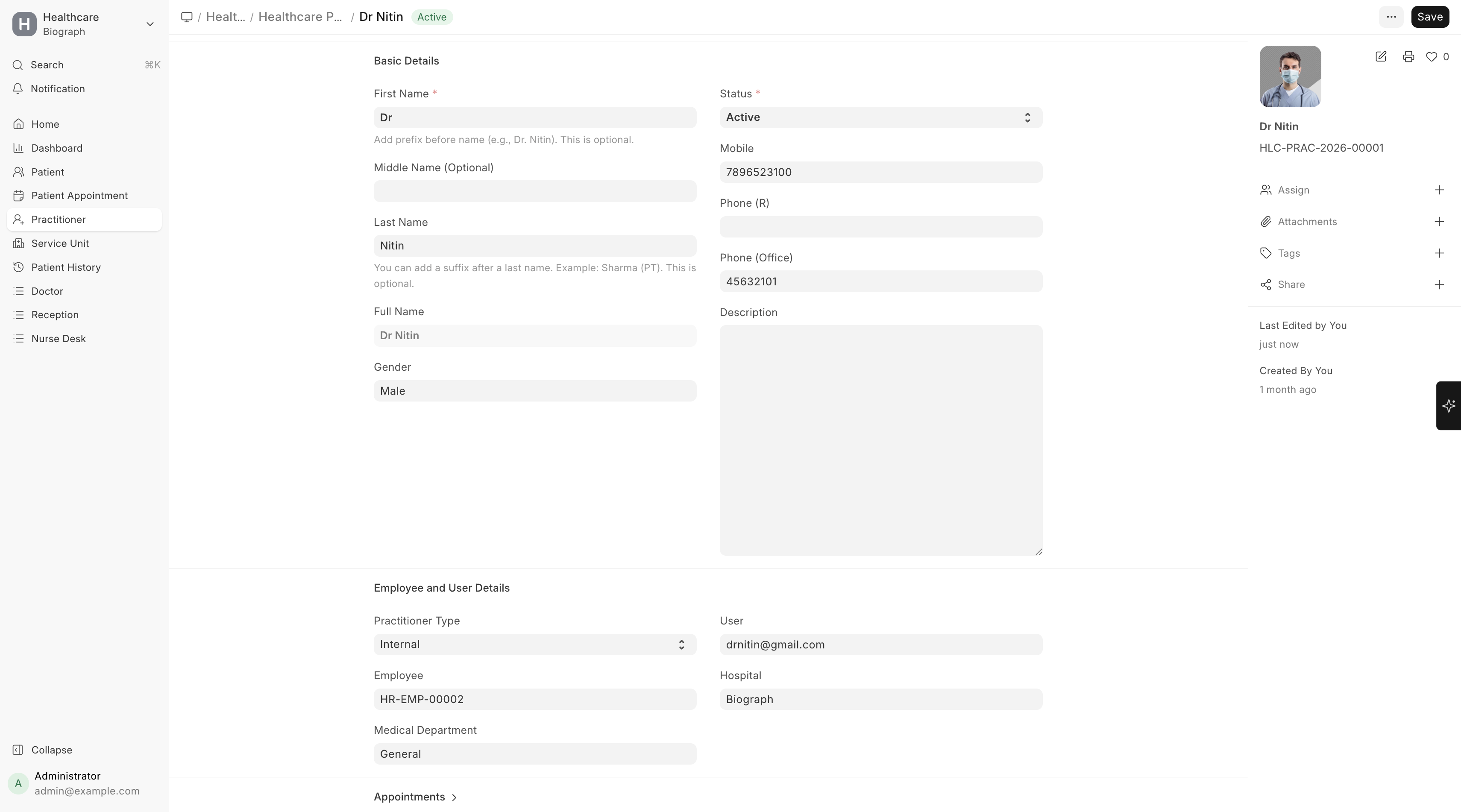
Practitioner Profile
Each practitioner record also includes:
- Qualification details — Medical degrees and certifications
- Consultation charges — Standard fees for different types of consultations
- OP Consulting Charges — Outpatient consultation fee
- Inpatient Visit Charges — Fee for inpatient rounds/visits