

Appearance
Medication Catalog
The Medication record in Biograph serves as a comprehensive drug catalog. Each medication entry contains clinical information needed for safe prescribing and dispensing.
To create a Medication:
Home → Healthcare → Medication → New
Creating a Medication
- Go to Medication list
- Click + Add Medication
- Configure the medication:
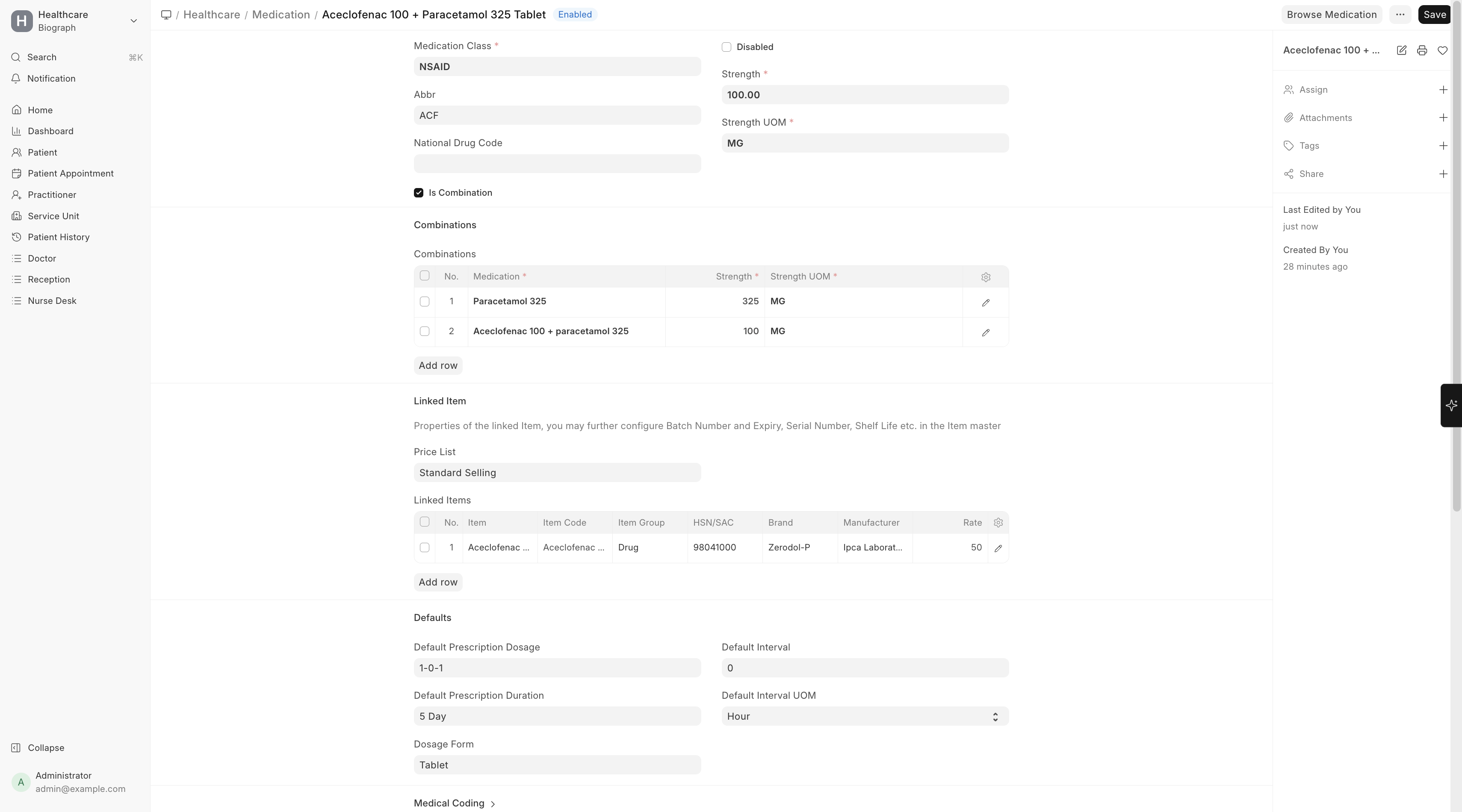
| Field | Description |
|---|---|
| Medication Name | Generic or brand name (e.g., Paracetamol 500mg Tablet) |
| Item | Link to the ERPNext Item for stock and billing |
| Dosage Form | Tablet, Capsule, Syrup, Injection, etc. |
| Strength | Concentration (e.g., 500mg, 250mg/5ml) |
| Medication Class | Therapeutic category (Analgesic, Antibiotic, etc.) |
| Description | Usage information and notes |
Medication Details
Each medication can include:
| Detail | Description |
|---|---|
| Ingredients | Active and inactive ingredients with quantities |
| Linked Items | Related medications (e.g., different strengths of the same drug) |
| Drug Interactions | Known interactions with other medications |
| Contraindications | Conditions where this medication should not be used |
Medication Classes
Organize medications by therapeutic class:
| Class | Examples |
|---|---|
| Analgesics | Paracetamol, Ibuprofen, Diclofenac |
| Antibiotics | Amoxicillin, Azithromycin, Ciprofloxacin |
| Antihypertensives | Amlodipine, Losartan, Atenolol |
| Antidiabetics | Metformin, Glimepiride, Insulin |
| Antacids & PPIs | Omeprazole, Pantoprazole, Ranitidine |
Drug Interactions
Biograph can track drug-drug interactions:
- Configure interactions in the Drug Interaction list
- When a practitioner prescribes two interacting medications, the system can alert
- Medication Class Interactions — Set interaction rules at the class level (e.g., warn when prescribing an NSAID with a blood thinner)