Appearance
Orders & Prescriptions
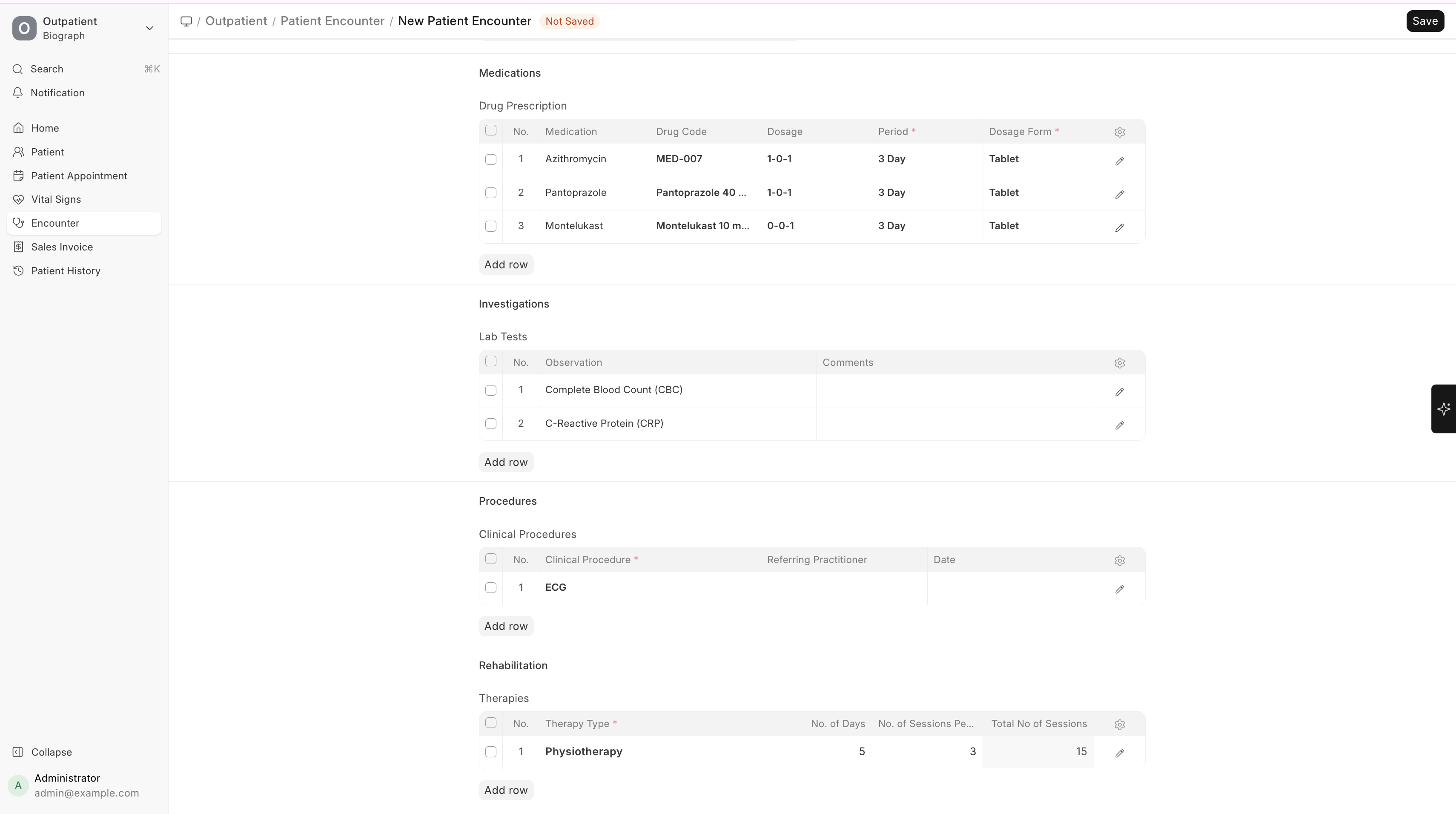
From within a Patient Encounter, practitioners can create various orders:
Medication Prescription
Prescribe medications directly within the encounter:
| Field | Description |
|---|---|
| Drug / Medication | Select from the medication catalog |
| Dosage | Select from pre-configured dosages (e.g., 1-0-1) |
| Period | Duration of the prescription (e.g., 5 Days, 1 Week) |
| Dosage Form | Tablet, Capsule, Syrup, etc. |
| Interval | Frequency (Every Day, Twice a Day, etc.) |
| Instructions | Special instructions (Before/After food, etc.) |
Multiple medications can be prescribed in a single encounter.
Lab Orders
Order laboratory tests:
| Field | Description |
|---|---|
| Lab Test | Select from configured lab test templates |
| Invoiced | Whether the test has been billed |
| Notes | Special instructions for the lab |
When the encounter is submitted, lab test records can be automatically created (if configured in Healthcare Settings).
Clinical Procedure Orders
Order procedures:
| Field | Description |
|---|---|
| Procedure | Select from clinical procedure templates |
| Date | Scheduled date for the procedure |
| Invoiced | Billing status |
| Comments | Special instructions |
Therapy Orders
Order rehabilitation or therapy services:
| Field | Description |
|---|---|
| Therapy Type | Select from configured therapy types |
| Number of Sessions | How many sessions to schedule |
| Notes | Instructions for the therapist |