

Appearance
Attendance Management
Attendance Management records employee presence based on assigned shifts and check-ins. It captures daily work status and supports corrections, bulk operations, and absence handling.
Navigation:
Home>HR>Shift & Attendance>Attendance
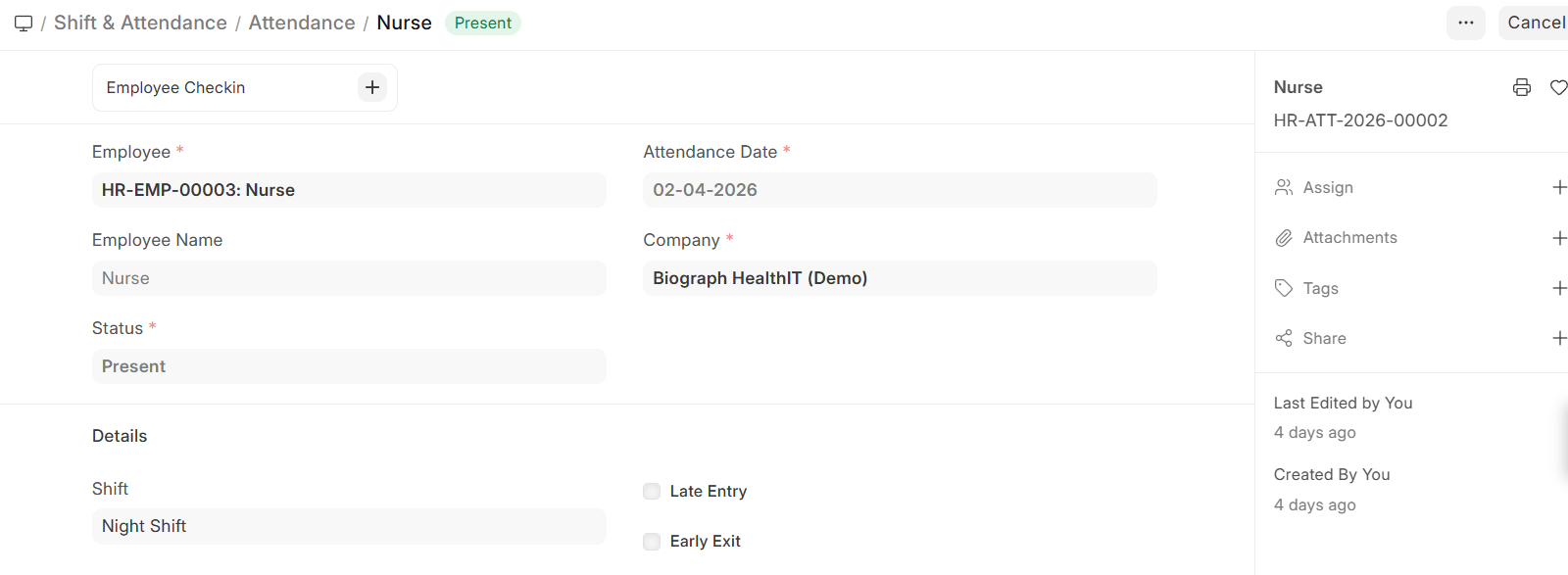
Attendance
Attendance records the daily status of an employee.
Configuration
| Field | Description |
|---|---|
| Employee | Employee whose attendance is recorded |
| Attendance Date | Date of attendance |
| Company | Organization context |
| Status | Present, Absent, On Leave, Half Day, Work From Home |
| Shift | Assigned shift |
Details
Late Entry — Employee checked in after allowed time
Early Exit — Employee left before shift end
Employee Check-in
Employee Check-in records IN and OUT timings and is used to generate attendance automatically.
- Multiple check-ins can be recorded for a single day
Attendance Requests
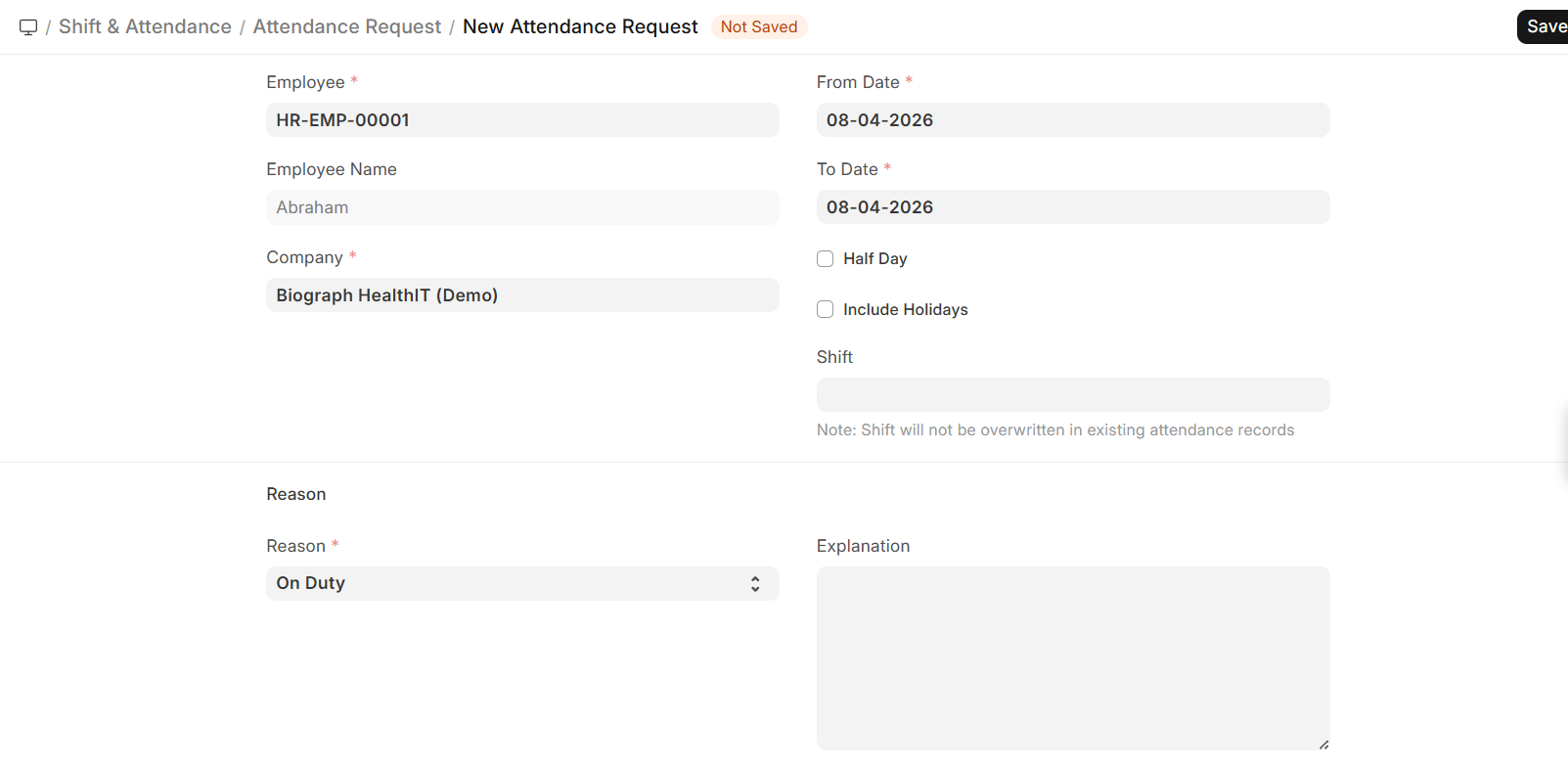
Attendance Requests are used to correct or update attendance records.
Configuration
| Field | Description |
|---|---|
| Employee | Employee requesting update |
| From Date / To Date | Date range |
| Reason | On Duty, Work From Home, etc. |
| Half Day | Indicates partial day |
| Shift | Applicable shift |
| Include Holidays | Allows marking on holidays |
| Explanation | Additional details |
Bulk Attendance
Bulk Attendance allows marking or uploading attendance for multiple employees.
Methods
Employee Attendance Tool
- Mark attendance for multiple employees
- Filter by department, shift, etc.
Upload Attendance
- Download template
- Fill attendance data
- Upload file to create records