

Understanding Medplum's User Management: A Comprehensive Guide to FHIR-Native Access Control
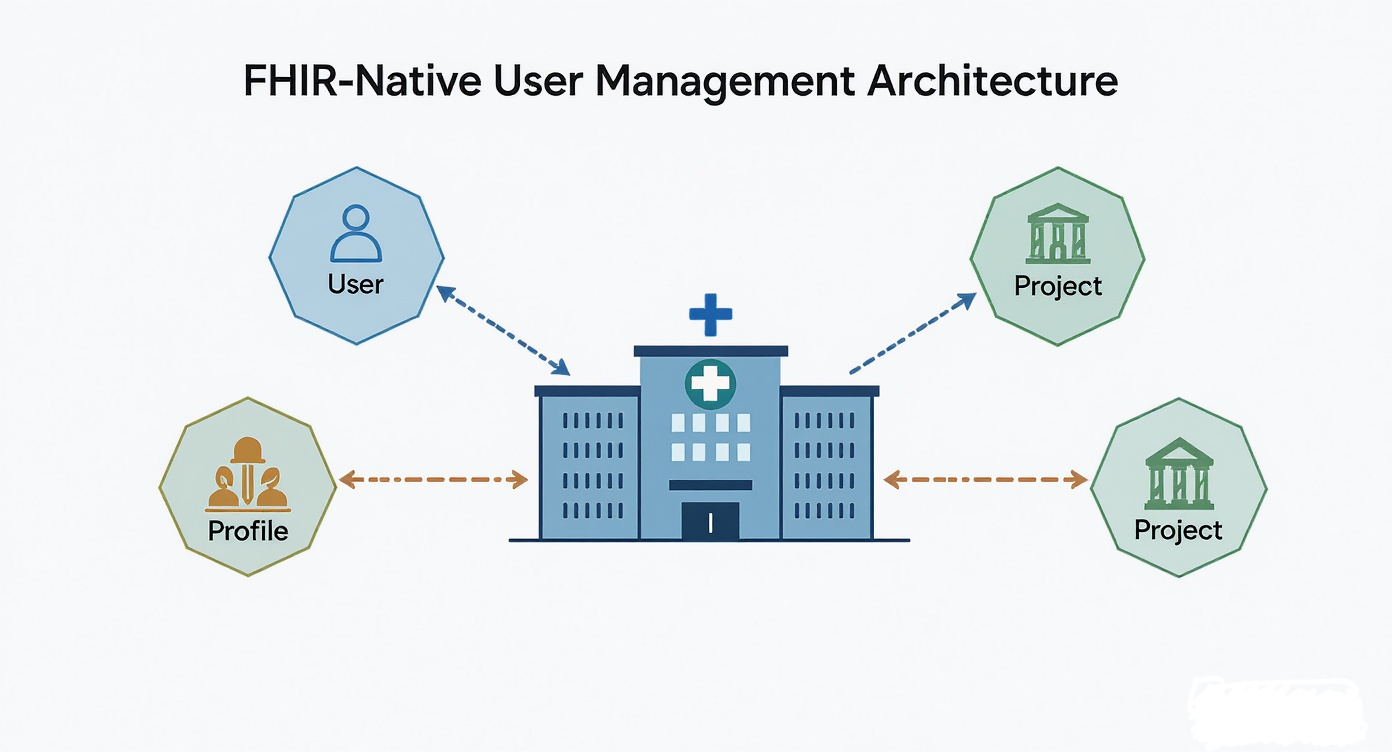
Healthcare applications demand robust user management systems capable of handling diverse roles and strict data privacy requirements. Medplum provides a powerful, FHIR-modeled solution that integrates identity, authorization, and access control directly into the healthcare data model. This comprehensive guide explores Medplum's user management architecture, demonstrating how to build secure and scalable healthcare applications.
Introduction to Medplum's User Management
Traditional healthcare platforms often struggle with user management complexity, requiring custom identity systems that don't align with healthcare data standards. Medplum takes a different approach by modeling identity, roles, and permissions as resources that live inside the same FHIR datastore as clinical data, creating a unified system where user identities and clinical data share one query surface.
This approach provides several concrete advantages:
- Uniform Tooling: Identity resources are queried, versioned, and audited using the same FHIR machinery as clinical data — no separate identity database to keep in sync
- Unified Data Model: User identities and healthcare data use the same resource model, so criteria like "patients where I am the general-practitioner" can be expressed directly against the FHIR graph
- Granular Access Control: Fine-grained permissions down to individual fields and resource instances, driven by FHIR search parameters and FHIRPath
- Automatic Audit Trail: Medplum emits
AuditEventresources for reads and writes without application code - Portable Profiles:
Patient,Practitioner, andRelatedPersonprofile resources are standard FHIR R4 and round-trip cleanly to other FHIR systems
Note that User, Project, ProjectMembership, AccessPolicy, ClientApplication, and Bot are Medplum-defined resource types — they are modeled as FHIR resources internally but are not part of the FHIR R4 standard. Interoperability applies to the clinical profile resources, not the identity plumbing.
Core Concepts
Medplum's user management revolves around four key resources — User, Project, a Profile resource (Patient / Practitioner / RelatedPerson / ClientApplication / Bot), and ProjectMembership — with AccessPolicy layered on top for authorization.
FHIR-Modeled Architecture
Medplum treats user management as a first-class concern within the FHIR resource model. Rather than bolting on authentication and authorization as separate systems, user identities, roles, and permissions are represented as Medplum-defined resources that can be queried, updated, and managed using standard FHIR operations against the Medplum server.
Multi-Tenancy Through Projects
Medplum uses the concept of "Projects" to provide multi-tenancy. Each project represents a separate healthcare organization, department, or logical boundary with its own set of users, data, and access policies. This enables a single Medplum instance to serve multiple organizations while maintaining strict data isolation.
Profile-Based Role Management
Instead of abstract role names, Medplum uses FHIR resource types to represent user roles. A user's "profile" is literally a FHIR resource (Patient, Practitioner, RelatedPerson, etc.) that defines their role and attributes within the healthcare context. This is a crucial concept: roles are not abstract labels but tangible data resources.
The Four Pillars of Medplum User Management
Medplum's user management system is built on four interconnected resources that work together to provide comprehensive identity and access management:
1. User Resource: The Foundation of Identity
Medplum has two kinds of User:
- Server-scoped
User: A global identity, not tied to any single project. Can holdProjectMembershipresources in multiple projects. This is the default for people (email + password login). - Project-scoped
User: A user record that exists only inside one project. Useful when a project needs to own its user pool independently — e.g., a B2B customer portal where the tenant, not the platform, owns the identity.
The User resource contains:
{
  "resourceType": "User",
  "id": "user-123",
  "email": "dr.smith@hospital.com",
  "firstName": "John",
  "lastName": "Smith"
}
Key Characteristics:
- Server-scoped or project-scoped depending on how the user was provisioned
- Contains authentication credentials and basic profile information
- Email verification is handled via
PasswordChangeRequestand the verify-email flow - MFA is managed via the
Loginresource and project settings - Can be associated with multiple projects through ProjectMembership resources
2. Project Resource
The Project resource defines organizational boundaries and configuration:
{
  "resourceType": "Project",
  "id": "hospital-main",
  "name": "General Hospital - Main Campus",
  "description": "Primary hospital system for General Hospital",
  "owner": {
    "reference": "User/admin-user"
  },
  "strictMode": true,
  "features": ["bots", "email", "graphql"],
  "defaultPatientAccessPolicy": {
    "reference": "AccessPolicy/patient-portal-default"
  }
}
Key Characteristics:
- Provides multi-tenant data isolation
- Defines available features and capabilities
strictModerejects unknown fields on writes — a real safety feature worth enablingdefaultPatientAccessPolicyis auto-attached to Patient profiles created via self-registration; forgetting this is a common security bug- Contains project-wide configuration settings
3. Profile Resources: Defining Roles in a Healthcare Context
In Medplum, a Profile is a specific FHIR resource that represents a user's role within a particular project. This is a crucial concept: roles are not abstract labels but tangible data resources. Profile resources represent the user's role and identity within the healthcare context. Medplum supports several profile types:
For Human Users:
Patient Profile:
{
  "resourceType": "Patient",
  "id": "patient-456",
  "identifier": [
    {
      "system": "http://hospital.com/patient-id",
      "value": "MRN-789"
    }
  ],
  "name": [
    {
      "family": "Johnson",
      "given": ["Mary", "Elizabeth"]
    }
  ],
  "telecom": [
    {
      "system": "email",
      "value": "mary.johnson@email.com"
    }
  ]
}
Practitioner Profile:
{
  "resourceType": "Practitioner",
  "id": "practitioner-789",
  "identifier": [
    {
      "system": "http://hl7.org/fhir/sid/us-npi",
      "value": "1234567890"
    }
  ],
  "name": [
    {
      "family": "Smith",
      "given": ["John"],
      "prefix": ["Dr."]
    }
  ],
  "qualification": [
    {
      "code": {
        "coding": [
          {
            "system": "http://terminology.hl7.org/CodeSystem/v2-0360",
            "code": "MD",
            "display": "Doctor of Medicine"
          }
        ]
      }
    }
  ]
}
RelatedPerson Profile:
{
  "resourceType": "RelatedPerson",
  "id": "related-person-101",
  "patient": {
    "reference": "Patient/patient-456"
  },
  "relationship": [
    {
      "coding": [
        {
          "system": "http://terminology.hl7.org/CodeSystem/v3-RoleCode",
          "code": "GUARD",
          "display": "Guardian"
        }
      ]
    }
  ],
  "name": [
    {
      "family": "Johnson",
      "given": ["Robert"]
    }
  ]
}
For Programmatic Access:
ClientApplication Profile:
{
  "resourceType": "ClientApplication",
  "id": "mobile-app-client",
  "name": "Hospital Mobile App",
  "description": "Patient-facing mobile application",
  "redirectUri": "https://app.hospital.com/callback"
}
Bot Profile:
{
  "resourceType": "Bot",
  "id": "integration-bot",
  "name": "ERP Integration Bot",
  "description": "Automated sync between ERP and FHIR systems",
  "code": "// Bot implementation code here"
}
4. ProjectMembership Resource: The Glue That Connects Everything
A ProjectMembership resource is the link that connects a User to a Profile within a specific Project. It also assigns an AccessPolicy, which dictates the user's permissions.
In short, a ProjectMembership answers the question: "Which User can act as which Profile with what AccessPolicy in this Project?"
{
  "resourceType": "ProjectMembership",
  "id": "membership-123",
  "project": {
    "reference": "Project/hospital-main"
  },
  "user": {
    "reference": "User/user-123"
  },
  "profile": {
    "reference": "Practitioner/practitioner-789"
  },
  "accessPolicy": {
    "reference": "AccessPolicy/practitioner-policy"
  },
  "access": [
    {
      "policy": {
        "reference": "AccessPolicy/department-scoped"
      },
      "parameter": [
        {
          "name": "org",
          "valueReference": { "reference": "Organization/cardiology" }
        }
      ]
    }
  ],
  "admin": false
}
Key Characteristics:
- Creates the binding between User identity and Project context
- Links to the user's Profile resource within the project
- References the AccessPolicy that defines permissions
- The
accessarray supports parameterized access policies: a single template policy referenced by many memberships, with%org,%patient, etc. supplied per membership - Can mark users as project administrators
- Supports multiple memberships per user for different roles
A note on admin: true: Setting admin: true does not grant unconditional access to project resources. Medplum still applies the AccessPolicy attached to the membership. This surprises people building admin dashboards and Subscription-triggered Bots. If your admin needs unrestricted access, either omit the accessPolicy or attach one that grants resourceType: "*" with no criteria.
Access Control with AccessPolicy
Medplum's AccessPolicy resource provides sophisticated access control that goes far beyond simple role-based permissions. It enables fine-grained control over what users can do, what data they can access, and how they can interact with resources.
AccessPolicy Structure
{
  "resourceType": "AccessPolicy",
  "id": "practitioner-policy",
  "name": "General Practitioner Access Policy",
  "resource": [
    {
      "resourceType": "Patient",
      "criteria": "Patient?general-practitioner=%profile",
      "interaction": ["create", "read", "update", "search"],
      "readonlyFields": ["id", "meta"]
    },
    {
      "resourceType": "Observation",
      "criteria": "Observation?_compartment=%patient",
      "interaction": ["create", "read", "update", "search", "history"]
    }
  ]
}
Note the variable syntax: Medplum uses %profile, %patient, and custom parameters like %org — no braces, no user. prefix. The compartment-style syntax {"compartment": {"reference": "..."}} is legacy; new policies should use resource-level criteria with the _compartment search parameter.
Access Control Capabilities
1. Resource-Level Permissions
Control access to entire FHIR resource types:
{
  "resourceType": "Medication",
  "interaction": ["read", "search"]
}
2. Interaction-Specific Controls
Define exactly what operations users can perform:
create: Create new resourcesread: View specific resources by IDupdate: Modify existing resourcesdelete: Soft-delete resourcessearch: Search for resourceshistory: View resource version historyvread: View specific resource versions
3. Criteria-Based Access
Use FHIR search parameters to limit access to specific resource instances:
{
  "resourceType": "Patient",
  "criteria": "Patient?organization=Organization/my-clinic"
}
4. Compartment-Based Access
Grant access to all resources within a FHIR compartment via the _compartment search parameter:
{
  "resourceType": "Observation",
  "criteria": "Observation?_compartment=%patient",
  "interaction": ["read", "search"]
}
5. Field-Level Controls
Control access to specific fields within resources using readonlyFields and hiddenFields:
{
  "resourceType": "Patient",
  "readonlyFields": ["id", "meta", "identifier"],
  "hiddenFields": ["telecom", "address"]
}
readonlyFields allows the fields to be read but not written; hiddenFields removes them from responses entirely.
6. Write Constraints
Use FHIRPath expressions to enforce business rules. The %before variable references the resource as it existed pre-write (undefined on create); %after references the resource with the update applied.
{
  "resourceType": "Observation",
  "writeConstraint": [
    {
      "expression": "%after.status = 'preliminary' or %after.status = 'final'",
      "description": "Observation status must be preliminary or final"
    }
  ]
}
7. IP Access Rules
Restrict access based on source IP:
{
  "resourceType": "AccessPolicy",
  "name": "Office-Only Access",
  "ipAccessRule": [
    { "name": "HQ VPN", "value": "203.0.113.0/24", "action": "allow" },
    { "name": "Everything else", "value": "0.0.0.0/0", "action": "block" }
  ],
  "resource": []
}
8. Binary Resources and securityContext
FHIR Binary resources (attachments, PDFs, DICOM) are not searchable and cannot use criteria in an AccessPolicy. Access is instead scoped via the Binary.securityContext field, which references a Patient, Encounter, or other contextual resource. If your policy grants access to that context, it grants access to the binary.
{
  "resourceType": "Binary",
  "contentType": "application/pdf",
  "securityContext": {
    "reference": "Patient/patient-456"
  }
}
9. Parameterized Policies with basedOn
For traceability, Medplum resolves parameterized policies at runtime and records the resolved policy with a basedOn reference to the source template. The /auth/me endpoint returns the resolved policy so front-end code can drive RBAC decisions without recomputing.
{
  "resourceType": "AccessPolicy",
  "name": "Cardiology (resolved)",
  "basedOn": [
    { "reference": "AccessPolicy/department-scoped-template" }
  ],
  "resource": [
    {
      "resourceType": "Patient",
      "criteria": "Patient?general-practitioner.organization=Organization/cardiology"
    }
  ]
}
Authentication: OAuth2, SMART-on-FHIR, External IdPs
Medplum implements standard authentication flows on top of its identity model:
- OAuth 2.0 / OpenID Connect: Standard authorization-code flow at
/oauth2/authorizeand/oauth2/token.ClientApplicationresources hold the client credentials and redirect URIs. - SMART-on-FHIR (v1 and v2): Standalone launch and EHR launch flows,
.well-known/smart-configuration, and SMART scopes (patient/*.read,user/Observation.rs, etc.). This is the piece of the platform that is genuinely standards-compliant and interoperable with third-party clinical apps. - External Identity Providers:
IdentityProviderconfiguration lets you delegate authentication to Google, Microsoft, Okta, Auth0, or any OIDC provider. The external IdP owns credentials and MFA; Medplum owns authorization. PasswordChangeRequest: Handles password reset and email verification flows.Loginresource: Tracks active sessions and MFA state.$inviteoperation: Invites a new user to a project — creates User + Profile + ProjectMembership in one atomic call and sends the invitation email.
A common architecture is to delegate authentication to an external IdP (Okta / Auth0 / Cognito) while keeping authorization in Medplum's AccessPolicy. This gets you enterprise SSO, adaptive MFA, and password rotation without reinventing them.
Real-World Use Cases
Use Case 1: Multi-Role Healthcare Provider - The Power of Multiple Roles
A single User can have multiple ProjectMembership resources within the same project. This is the standard way to handle cases where a person needs to operate in different roles.
Real-World Example: The Doctor Who is Also a Patient
Dr. Sarah Chen works as both a physician and occasionally receives care as a patient at the same hospital system. This person would have a single User account but two separate ProjectMemberships:
Implementation:
- Single
Userresource for Dr. Chen - Two
ProjectMembershipresources:- Practitioner Membership:
- User: The doctor's login account
- Profile: A
Practitionerresource - AccessPolicy: A policy granting broad access to clinical data
- Patient Membership:
- User: The same doctor's login account
- Profile: A
Patientresource - AccessPolicy: A restrictive policy that only allows them to view their own records
- Practitioner Membership:
// Practitioner Membership
{
  "resourceType": "ProjectMembership",
  "user": {"reference": "User/dr-chen"},
  "profile": {"reference": "Practitioner/chen-md"},
  "accessPolicy": {"reference": "AccessPolicy/attending-physician"}
}

// Patient Membership
{
  "resourceType": "ProjectMembership",
  "user": {"reference": "User/dr-chen"},
  "profile": {"reference": "Patient/chen-patient"},
  "accessPolicy": {"reference": "AccessPolicy/patient-portal"}
}
When the user logs in, the application can allow them to switch between these roles, and the corresponding AccessPolicy is applied for that session.
Use Case 2: Family Member Access
Robert Johnson needs access to manage healthcare decisions for his elderly mother, Mary Johnson. RelatedPerson does not automatically grant compartment access to the linked Patient — you need an explicit policy, ideally parameterized by the patient reference so a single template serves all caregivers.
Implementation:
Userresource for RobertRelatedPersonprofile linking him to his mother- Parameterized
AccessPolicyscoped to Mary's compartment
{
  "resourceType": "AccessPolicy",
  "name": "Family Caregiver - scoped to linked patient",
  "resource": [
    {
      "resourceType": "Patient",
      "criteria": "Patient?_id=%patient",
      "interaction": ["read"]
    },
    {
      "resourceType": "Observation",
      "criteria": "Observation?_compartment=%patient",
      "interaction": ["read", "search"]
    },
    {
      "resourceType": "MedicationRequest",
      "criteria": "MedicationRequest?_compartment=%patient",
      "interaction": ["read", "search"]
    }
  ]
}
And on the ProjectMembership:
{
  "resourceType": "ProjectMembership",
  "user": {"reference": "User/robert-johnson"},
  "profile": {"reference": "RelatedPerson/robert-mary-guardian"},
  "access": [
    {
      "policy": {"reference": "AccessPolicy/family-caregiver"},
      "parameter": [
        {
          "name": "patient",
          "valueReference": {"reference": "Patient/mary-johnson"}
        }
      ]
    }
  ]
}
Use Case 3: Research Access
A clinical researcher needs access to de-identified patient data for a specific study.
Implementation:
- Specialized
AccessPolicywith hidden PII fields - Criteria-based access to study participants only
{
  "resourceType": "AccessPolicy",
  "resource": [
    {
      "resourceType": "Patient",
      "criteria": "Patient?_tag=study-cohort-2024",
      "hiddenFields": ["name", "telecom", "address", "identifier", "birthDate"],
      "interaction": ["read", "search"]
    }
  ]
}
Note that policy-level de-identification depends on someone else correctly tagging cohort membership and keeping the tags accurate — this is a real operational dependency, not a set-and-forget control.
Implementation Examples
Creating a New User with the $invite Operation
Prefer the $invite operation for provisioning. It atomically creates User + Profile + ProjectMembership, sends the invitation email, and applies the default access policy. Manually chaining three createResource calls works but leaves inconsistent state on partial failure.
const result = await medplum.post(
  medplum.fhirUrl('Project', projectId, '$invite'),
  {
    resourceType: 'Practitioner',
    firstName: 'Jennifer',
    lastName: 'Williams',
    email: 'nurse.williams@hospital.com',
    accessPolicy: { reference: 'AccessPolicy/registered-nurse-policy' },
    sendEmail: true
  }
);
// Returns the created ProjectMembership.
Parameterized Access Policy Creation
Don't create a new AccessPolicy per department. Create one template and pass the department as a parameter on each ProjectMembership:
// One template (created once, at deploy time)
await medplum.createResource({
  resourceType: 'AccessPolicy',
  name: 'Department Template',
  resource: [
    {
      resourceType: 'Patient',
      criteria: 'Patient?general-practitioner.organization=%org',
      interaction: ['create', 'read', 'update', 'search']
    },
    {
      resourceType: 'Encounter',
      criteria: 'Encounter?service-provider=%org',
      interaction: ['create', 'read', 'update', 'search']
    }
  ]
});

// Per user: attach the template with a department parameter
await medplum.createResource({
  resourceType: 'ProjectMembership',
  user: { reference: `User/${userId}` },
  profile: { reference: `Practitioner/${practitionerId}` },
  access: [{
    policy: { reference: 'AccessPolicy/department-template' },
    parameter: [{
      name: 'org',
      valueReference: { reference: `Organization/${departmentId}` }
    }]
  }]
});
Checking User Permissions
Don't use try/catch on HTTP 403 — it confuses "resource doesn't exist for you" with "resource exists but you're denied," which the FHIR spec deliberately does not distinguish. Use search instead; Medplum applies the access policy as a SQL filter, so absence from the result set means the caller cannot see the resource.
// Check access via search — no exception handling required
const canAccessPatient = async (patientId: string): Promise<boolean> => {
  const matches = await medplum.searchResources('Patient', { _id: patientId });
  return matches.length > 0;
};

// Get all patients accessible to current user
const getAccessiblePatients = () => medplum.searchResources('Patient');
Best Practices
1. Design Principle-Based Access Policies
Create access policies based on healthcare principles rather than technical convenience:
{
  "name": "Principle of Least Privilege - Nurse",
  "description": "Nurses can access patient data for their assigned patients only",
  "resource": [
    {
      "resourceType": "Patient",
      "criteria": "Patient?care-team.participant=%profile",
      "interaction": ["read", "update", "search"]
    }
  ]
}
2. Use _compartment Criteria, Not Top-Level compartment
The top-level compartment object is legacy. Prefer resource-level criteria with the _compartment search parameter:
{
  "resourceType": "Observation",
  "criteria": "Observation?_compartment=%patient",
  "interaction": ["read", "search"]
}
3. Rely on Medplum's Automatic Audit Events
Medplum automatically emits AuditEvent resources for reads and writes. Do not manually create AuditEvent for every access — you'll produce duplicates, inconsistent shapes, and the manual writes may themselves fail depending on the caller's AccessPolicy.
Query the automatic audit trail like any other FHIR resource:
const recentAccess = await medplum.searchResources('AuditEvent', {
  agent: `User/${userId}`,
  date: `gt${new Date(Date.now() - 24 * 60 * 60 * 1000).toISOString()}`,
  _sort: '-date'
});
Only create AuditEvent manually for application-level events that Medplum can't see (e.g., "user viewed decrypted lab report in the UI," "user exported CSV").
4. Regular Access Policy Reviews
Implement automated checks for access policy effectiveness. The real risk is not wildcards per se — it's write-capable entries with no criteria and no compartment scoping:
const reviewAccessPolicies = async () => {
  const policies = await medplum.searchResources('AccessPolicy');

  for (const policy of policies) {
    const risky = policy.resource?.filter(r =>
      !r.criteria &&
      !r.compartment &&
      r.interaction?.some(i => i !== 'read')
    ) ?? [];

    if (risky.length) {
      console.warn(`Policy ${policy.id}: ${risky.length} unscoped write entries`);
    }
  }
};
5. Handle Multiple Memberships Gracefully
When users have multiple roles, provide clear context switching without a full page reload — setActiveLogin already triggers Medplum's internal change event:
const switchUserContext = async (membershipId: string) => {
  const membership = await medplum.readResource('ProjectMembership', membershipId);

  await medplum.setActiveLogin({
    membership: membership,
    profile: membership.profile
  });

  // Subscribe to Medplum's change event and re-render normally
  // instead of window.location.reload()
};
Tradeoffs vs. SMART-on-FHIR + External IdP
Medplum's model isn't strictly better than alternatives — it's a different set of tradeoffs. The mainstream healthcare-app pattern uses a dedicated identity provider (Okta / Auth0 / Cognito / Keycloak) for authentication, a standards-compliant FHIR server (HAPI, Azure FHIR, AWS HealthLake, Firely) for data, and SMART-on-FHIR scopes for authorization.
Where Medplum's Model Wins
- Authorization expressiveness: SMART scopes are coarse —
patient/Observation.readmeans "all observations for the launch patient," full stop. Medplum's AccessPolicy can do "observations where category=vital-signs AND performer references my organization AND status is not entered-in-error, withsubject.identifierhidden." That's not expressible in SMART scopes. - One data model: Care-team relationships, organizational hierarchy, and access rules all live in the same FHIR graph you're already querying for clinical data.
Patient?care-team.participant=%profileworks becausecare-teamis a real FHIR search parameter on Patient. - Uniform audit: AuditEvent covers identity actions and clinical actions with one query surface.
- Less infrastructure: No separate IdP to run, monitor, and pay for. Faster to prototype.
Where the Alternative Wins
- Portability: Your identity data is a
userstable in Keycloak or a directory in Okta — export it, migrate it, plug in a different FHIR server. Medplum'sUser/Project/ProjectMembershipare proprietary; migrating off Medplum means either a translation layer or rebuilding identity elsewhere. - Enterprise SSO and MFA maturity: Okta / Azure AD / Auth0 have decades of features Medplum doesn't try to replicate — adaptive MFA, risk-based authentication, device trust, passwordless, SCIM provisioning from HR systems, session-anomaly detection. Medplum can delegate to these via
IdentityProvider, but if you're going to run Okta anyway, what does Medplum'sUseradd? - Standards familiarity: Any developer who has done healthcare integrations knows SMART-on-FHIR scopes. Medplum's AccessPolicy DSL — the
%profile/%patientvariables,readonlyFieldsvsreadonly, the parameterizedaccessarray — is a from-scratch learning tax. - Third-party app ecosystem: A SMART-on-FHIR app written for Epic works against Cerner and Meditech with configuration only. A Medplum AccessPolicy is not portable in the same way.
- Cross-vendor interoperability: If your identity data ever needs to be consumed by another FHIR system (payer, HIE, TEFCA participant), the Medplum-specific parts are dead weight.
When Medplum's Model Is the Right Pick
- Greenfield build with a single-vendor stack
- Access rules are complex, data-driven, and don't fit SMART's scope model
- You want one system rather than IdP + FHIR-server + authorization-proxy
- No imminent need to migrate to another FHIR platform
When to Pair Medplum with an External IdP
- You already run enterprise SSO (Okta / Azure AD) and users expect it
- Regulatory or contractual requirements around identity portability
- You need MFA / device-trust features Medplum doesn't offer natively
- You're building a SMART-on-FHIR app that will run against other vendors — do authorization in a portable way, keep Medplum-specific policies for the Medplum-specific parts of the workflow
Medplum's IdentityProvider support makes the pairing a real option, not an escape hatch. Delegate authentication to an external IdP, keep AccessPolicy for the fine-grained authorization Medplum does well.
Conclusion
Medplum's approach to user management — modeling identity and authorization as resources inside the same FHIR datastore as clinical data — is a coherent design with real strengths: expressive authorization via search-parameter and FHIRPath criteria, uniform tooling across identity and clinical data, automatic audit via AuditEvent, and no separate identity database to maintain.
It also has real tradeoffs: User, Project, ProjectMembership, and AccessPolicy are Medplum-defined resource types that don't round-trip to other FHIR servers; the authorization DSL has a nontrivial learning curve; and the identity model is less mature than dedicated IdPs like Okta or Auth0.
Whether it's the right choice depends on how much of your authorization logic is expressible as FHIR search criteria (Medplum shines here), how much you value single-vendor operational simplicity (Medplum wins), and how much you value identity-data portability and standard SSO features (external IdP wins). For most teams, the pragmatic answer is: external IdP for authentication, Medplum for authorization, and clear boundaries between the two.
This blog post provides a comprehensive overview of Medplum's user management capabilities. For the most up-to-date documentation and implementation details, please refer to the official Medplum documentation.